
Tailored for AV purists
HDfuryVRROOM
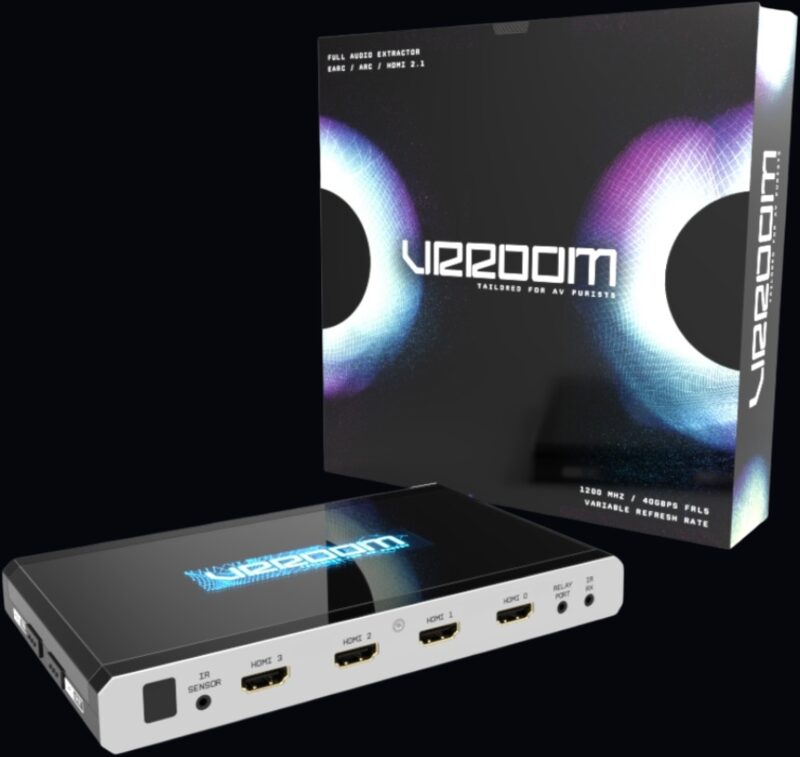
The HDfury VRROOM is a 4-input HDMI 2.1 matrix, scaler and sound extractor. It feeds full audio — up to Dolby Atmos over TrueHD — from any HDMI source or eARC/ARC TV to any sound system, while passing 8K60 and 4K120 VRR video untouched and solving HDCP and EDID problems along the way.
Dolby Vision · LLDV · HDR10+ · HLG · Atmos · DTS:X · HDMI 2.1 · HDCP 2.3
Why VRROOM
One box. Every HDMI problem solved.
The retail box calls it the world’s first 8K VRR and HDMI 2.1 sound extractor. Six capabilities make up the toolbox.
4×2 matrix, splitter & scaler
Route four 40Gbps sources to two outputs, split one signal to both, or matrix two independent 18Gbps signals at once — HDCP and scaling rules apply automatically per output.
Unique
The HDCP Doctor
Fifteen HDCP engines convert 2.3 ↔ 1.4 in both directions at once, so any source works with any display — the classic cure for “HDCP error” black screens when old and new gear meet.
How the HDCP Doctor works →World first
Full eARC & ARC audio extraction
Extracts every HDMI sound format — up to Dolby Atmos over TrueHD — from any source or eARC TV and feeds it to any AVR or sound system, while 8K60 and 4K120 VRR video passes to the display untouched.
How the audio extraction works →EDID manager
100 EDID tables (10 custom), per-input assignment, Automix with forced flags for FRL rate, VRR, ALLM, HDR and DV — or copy a sink’s own EDID and modify it.
Real-time
HDR Fixer & Dolby Vision tools
VRROOM reads every HDR10, HLG and Dolby Vision metadata packet crossing it, then lets you capture, build, edit or block that metadata on the fly: boost or lower HDR nits, replace MaxCLL/MaxFALL and mastering-display values, translate HLG to HDR10, or convert LLDV to HDR10 so projectors and TVs without Dolby Vision still get a scene-tuned picture.
How the HDR Fixer works →Up & down scaler
8K ↔ 4K ↔ 1080p per output, with chroma, colour space and colour depth conversion at 8/10/12/16-bit for older displays and projectors.
What owners use it for
What the VRROOM is actually good for
From the HDfury community, AV forums and calibrators — real problems a VRROOM solves in home cinemas, living rooms and installs. Not sure it’s the right box for your room? See the comparison with the HDfury Arcana.
Most popular
Dolby Vision on HDR10-only projectors & TVs
VRROOM presents a Dolby Vision EDID to your player (Apple TV 4K, Shield, Oppo, Panasonic, Kaleidescape…), so it outputs LLDV — tone-mapped per scene — which VRROOM hands to your projector or TV as a signal it already accepts. JVC, Sony and Epson owners describe it as a big step up from static HDR10.
LLDV setup guide + projector & TV list →Better HDR with custom metadata
Edit or replace MaxCLL/MaxFALL and mastering-display values on the fly, boost or lower HDR nits, translate HLG to HDR10, or strip HDR flags entirely — tuned to your exact screen or projector.
Fix HDCP black screens
An HDCP 2.3 source with an HDCP 1.4 receiver, projector or matrix? The HDCP Doctor converts both ways on every channel, so streaming boxes, consoles and UHD Blu-ray players work with older gear.
Keep an older AVR — full Atmos anyway
Video and audio split apart: 8K/4K120 HDR goes straight to the display, while a dedicated 720p/1080p stream carries Atmos, DTS:X and TrueHD to a receiver that can’t pass 4K at all.
eARC/ARC from TV apps — or a Sonos Arc
Netflix or Apple TV+ inside your TV’s own apps? VRROOM extracts eARC (up to Atmos HBR over TrueHD) or ARC audio and feeds it to any AVR, soundbar or a Sonos Arc/Beam 2, even receivers with no ARC at all.
Projector + TV in one room
Watch a film on the projector while the kids game on the OLED — two independent signals at once from the 4×2 matrix, or mirror one source to both with its own scaling per screen.
Automate JVC, Sony & Epson projectors
VRROOM sends RS232 macros to your projector based on the incoming signal — switch picture mode or gamma for SDR, HDR10, HLG or LLDV content, automatically, every time.
Autoswitch sources that never sleep
Apple TV 4K, Xbox and Shield keep +5V alive in standby, so ordinary switches can’t auto-select them. VRROOM switches on actual pixel-clock activity instead.
Force the right EDID to every source
Lock a source to 4K60 4:4:4, 4:2:2 12-bit, BT.2020, stereo or 5.1, with or without HDR/DV — per input. Solves handshake fights between picky sources and long cable runs.
Feed 4K/8K HDR through 1080p gear
Downscale a 4K/8K HDR feed to 1080p for a legacy AVR, a second-zone Full HD projector, a capture card or an ambient-light sync box — while the main display keeps full 40Gbps.
See exactly what’s on the wire
OLED, on-screen display and web page show resolution, chroma, bit depth, HDCP version, HDR metadata and infoframes — the go-to tool for calibrators chasing HDMI bugs.
Gaming: lowest latency, right format
Under 1ms of added latency. Pass 4K120 VRR untouched, force RGB or 4:4:4, and route a console to the TV while a disc player owns the projector.
Whole-house control & integration
Control everything from a browser, the HDfury app, IR, RS232, IP/Telnet or CEC — with a relay port for automation and codes ready for Harmony, iRule and Control4/Crestron-style systems.
High-end cinema install
Matrix mode with per-input EDID, RS232 macros, IP/Telnet and relay control, and full signal detail on OLED, OSD and web server — built for madVR, Trinnov, StormAudio and other processor-based rooms.
Connectivity
Built for the full 40Gbps signal chain
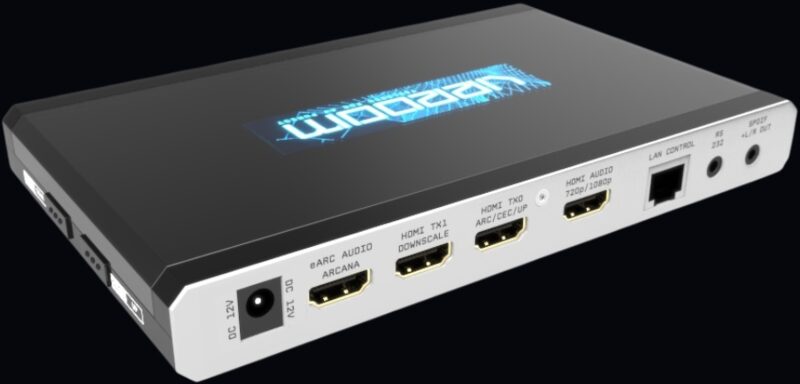
4 HDMI 2.1 inputs, 2 video outputs (one with dedicated downscale), a self-generated HDMI audio output, a separate eARC/ARC audio output, SPDIF/analog audio, LAN control, RS232, IR and a relay port for automation.
Inputs
Outputs
Audio
Any format. Any AVR. Any TV app.
VRROOM extracts the maximum audio capability from every source and forwards it as a self-generated 720p/1080p stream — so an AVR that can’t handle 4K still gets full Atmos. Audio is never transcoded: what comes in goes out untouched.
eARC & ARC extraction
Up to Atmos HBR over TrueHD from an eARC TV, or up to Atmos over DD+ from an ARC TV, routable to the HDMI audio output, the eARC output and/or optical.
HDMI source extraction
Every HDMI sound format from any input, extracted automatically to the dedicated audio output — PCM up to 192kHz, DSD, DST, DTS, DTS-HD, DTS-MA, DTS:X, Dolby TrueHD, DD+, HBR and Dolby Atmos.
Analog & optical, too
Simultaneous analog L/R stereo and up to 5.1 digital sound over the 2-in-1 SPDIF/3.5mm connector — stereo analog or TOSLINK digital from the same jack.
Total control
Control from anywhere. See everything.
No drivers, no software installs. Type the VRROOM address into any browser and take command of the whole setup.
Embedded web server
Mac, Windows, Linux, iOS, Android — any browser. Firmware updates, config export, EDID upload, macros and every setting in one interface.
Read the web server manual →HDMI Explorer
Resolution, chroma, colour depth, HDCP version, HDR metadata, infoframes and true frame rate — on the OLED, the on-screen display or the web page.
IR · IP · RS232 · CEC
Send custom RS232 commands to your projector based on incoming content type. Codes for Logitech Harmony and iRule; full CEC command manager; Android/iOS apps.
Specifications
Main specifications
| I/O | 4× HDMI in; 2× HDMI video out (TX0 up/pass, TX1 downscale); HDMI audio out (720p/1080p); eARC/ARC audio out; SPDIF + L/R analog; RS232; RJ45 LAN; IR RX/window/jack; relay port |
|---|---|
| Max video | 4K120 4:4:4 10-bit, 8K60 4:2:0 10-bit, 8K30 4:2:2 12-bit — FRL5 1200MHz 40Gbps |
| Scaling | 8K ↔ 4K ↔ 1080p up/downscale per output, up to 4K60 4:4:4 600MHz, with chroma, colour space and colour depth conversion at 8/10/12/16-bit |
| HDR | HDR10+, HLG, all Dolby Vision modes incl. LLDV; capture/inject/translate/block metadata |
| Audio | PCM up to 192kHz, compressed audio (IEC61937), DSD, DST, DTS, DTS-HD, Dolby TrueHD, DTS-MA, HBR, DD+, DTS:X, Dolby Atmos |
| HDCP | HDCP 2.3 ↔ 1.4 conversion both ways, 15 engines, all channels simultaneously |
| CEC/ARC/eARC | CEC on inputs and TX0; eARC extraction up to Atmos HBR over TrueHD; ARC up to Atmos over DD+ |
| Control | Web server, OLED + 4 buttons, OSD, IR (3 code sets), RS232, IP/Telnet (default port 2222), Android/iOS apps, public API/DLL |
| OLED | 3.12″ diagonal, 256×64, blue |
| Input lag | <1ms (a few pixel clocks) |
| Power | External 12V supply |
| Dimensions | 11.5 × 18.5 × 2.4 cm (4.5″ × 7.3″ × 0.9″), 520g |
| Regulation | CE, EAC, FCC, RoHS, WEEE |
Gallery
In the box
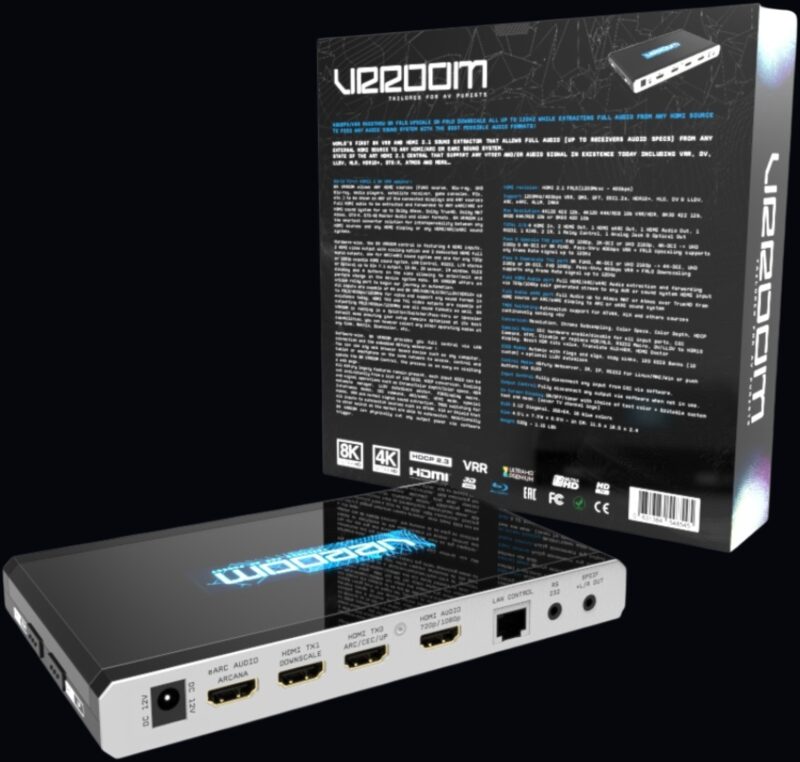
VRROOM unit, IR receiver cable, 12V power supply, RS232 cable and optical cable.

FAQ
Frequently asked questions
Can VRROOM give my HDR10 projector Dolby Vision?
Not real Dolby Vision — the projector always receives HDR10. VRROOM spoofs the EDID so your player outputs LLDV (player-led Dolby Vision, tone-mapped by the player itself) instead of a generic HDR10 conversion, and hands the projector that result as an HDR10 signal it already understands. See the projector and TV guides for models this helps.
Does the VRROOM support Dolby Vision and HDR10+?
Yes — HDR10+, HLG and all Dolby Vision modes including LLDV, with capture, inject, translate and block controls for the metadata.
Can VRROOM extract eARC audio from my TV to an older AVR?
Yes. Up to Atmos HBR over TrueHD from an eARC TV, delivered to a non-4K AVR over the dedicated 720p/1080p HDMI audio output, or to a Sonos Arc/Beam and similar systems over the eARC audio output.
Will it fix HDCP errors between an HDCP 2.3 source and an HDCP 1.4 display?
Yes — fifteen HDCP engines convert 2.3 ↔ 1.4 both ways, on every channel simultaneously.
Is there any latency added to the signal?
Virtually none. The added latency is on the order of a few pixel clocks — nothing noticeable.
Which HDMI cables do I need?
For the full 1200MHz/40Gbps chain, use 40Gbps-certified or tested 8K cables, ideally 6–12ft (2–4m) for copper. VRROOM also acts as an HDMI repeater, so it amplifies and recovers the signal — you should not need separate HDMI amplifiers.
How do I hook up the audio?
The HDMI audio and eARC audio outputs carry full digital audio. The SPDIF + L/R jack is a 2-in-1 connector: plug in a 3.5mm analog stereo cable for analog sound, or a 3.5mm mini-TOSLINK cable for 5.1 digital sound — from the same port.
Where can I find the user manual, firmware and RS232/IR codes?
The full manual online, or everything as files on the downloads page: firmware, the manual PDF and the EDID collection.
Get the HDfury VRROOM
The VRROOM is sold in Europe through HDfury.eu, the official European distributor. This site carries information only and does not sell anything.